7.1. Some practical tools
| Tool Name | effect |
|---|---|
| list_devices_node | check the camera USB port number |
| list_depth_work_mode_node | view depth work modes |
| list_camera_profile_mode_node | check which profiles the camera supports |
| topic_statistics_node | topic statistics |
| multi_save_rgbir_node | Multi camera sync save image, used to test synchronization quality |
| metadata_save_files_node | Save the depth, left and right ir images and metadata data |
| metadata_export_files_node | Compared with metadata_save_files_node, it has one more color collection but reduces some metadata data saving |
7.1.1. list_devices_node
If you have connected multiple cameras, but you want to start a specific camera, you can run the list_devices_node tool to view the USB port of each camera.
ros2 run orbbec_camera list_devices_node

7.1.2. list_depth_work_mode_node
OrbbecSDK_ROS2 supports the depth work mode switch. The depth work mode switch is supported by Gemini 2, Gemini 2 L, and Femto and Femto Bolt cameras.
View depth work modes:
ros2 run orbbec_camera list_depth_work_mode_node

7.1.3. list_camera_profile_mode_node
Check which profiles the camera supports:
ros2 run orbbec_camera list_camera_profile_mode_node
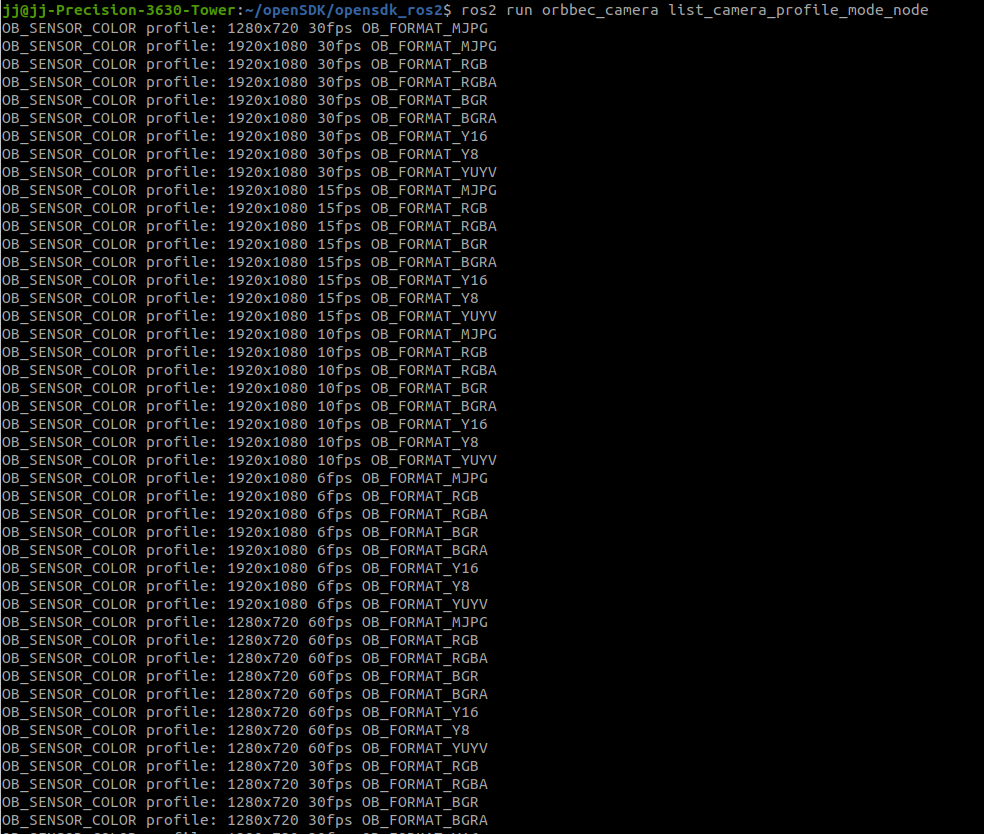
The above image only shows part of the output
7.1.4. multi_save_rgbir_node
The purpose of multi_save_rgbir_node is to test the synchronization effect of using multiple Orbbec cameras in OrbbecSDK ROS2
This tool will save the color and left IR images of each camera and the timestamp information
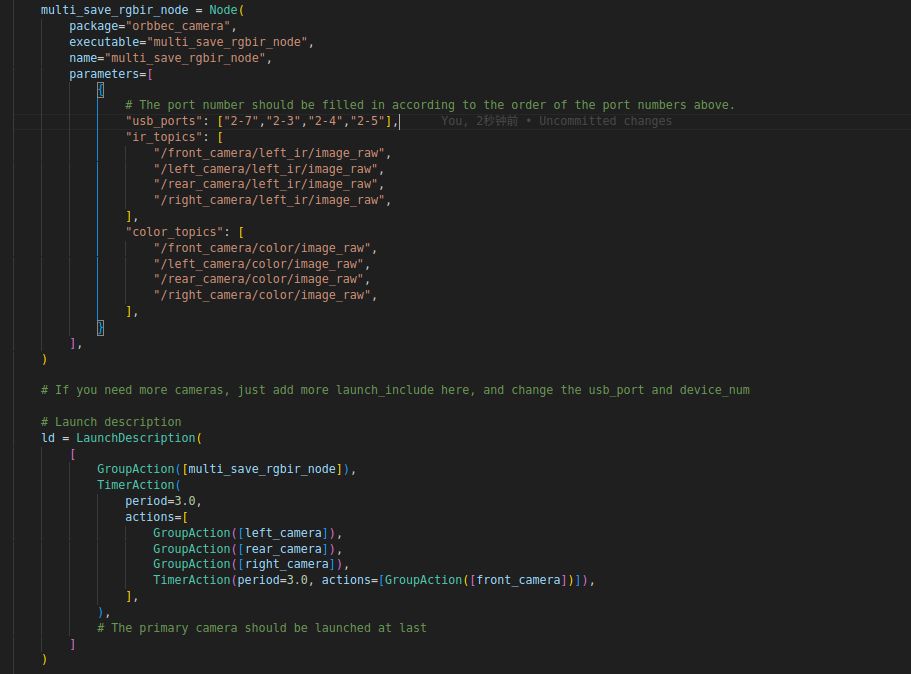
Add the tool node shown in the figure above to multi_camera_synced.launch.py
The parameter order of usb_ports: “Host”, “Slave 1”, “Slave 2”, “Slave 3”. Fill in as many usb_ports as there are cameras.
ir_topics and color_topics are topic names. Fill in as many names as there are cameras.
7.1.5. metadata_save_files_node
ros2 run orbbec_camera metadata_save_files_node
7.1.6. metadata_export_files_node
The node’s configuration parameter file is located in :orbbec_camera/config/metadataexport/metadata_export_params.json
ros2 run orbbec_camera metadata_export_files_node